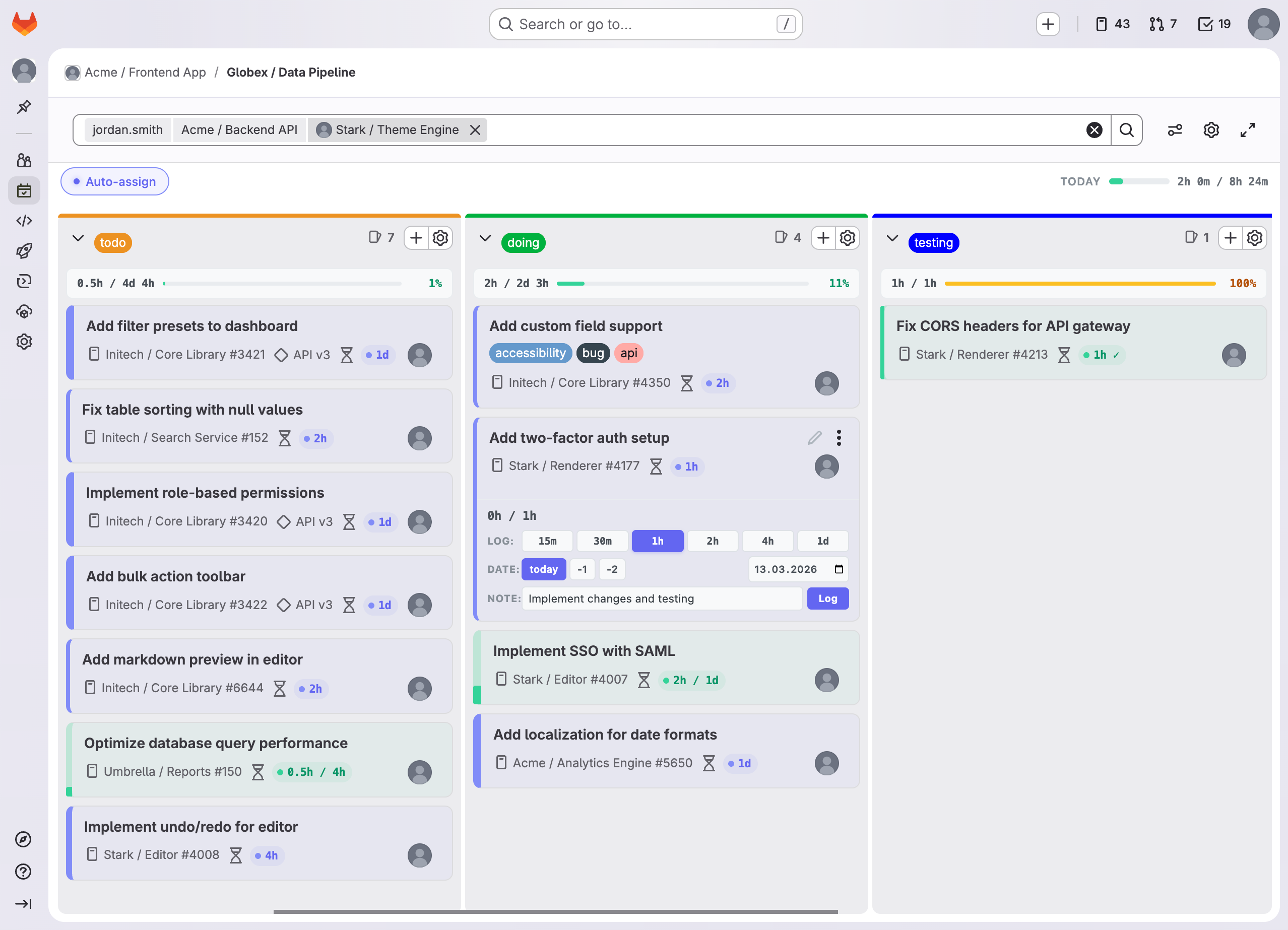
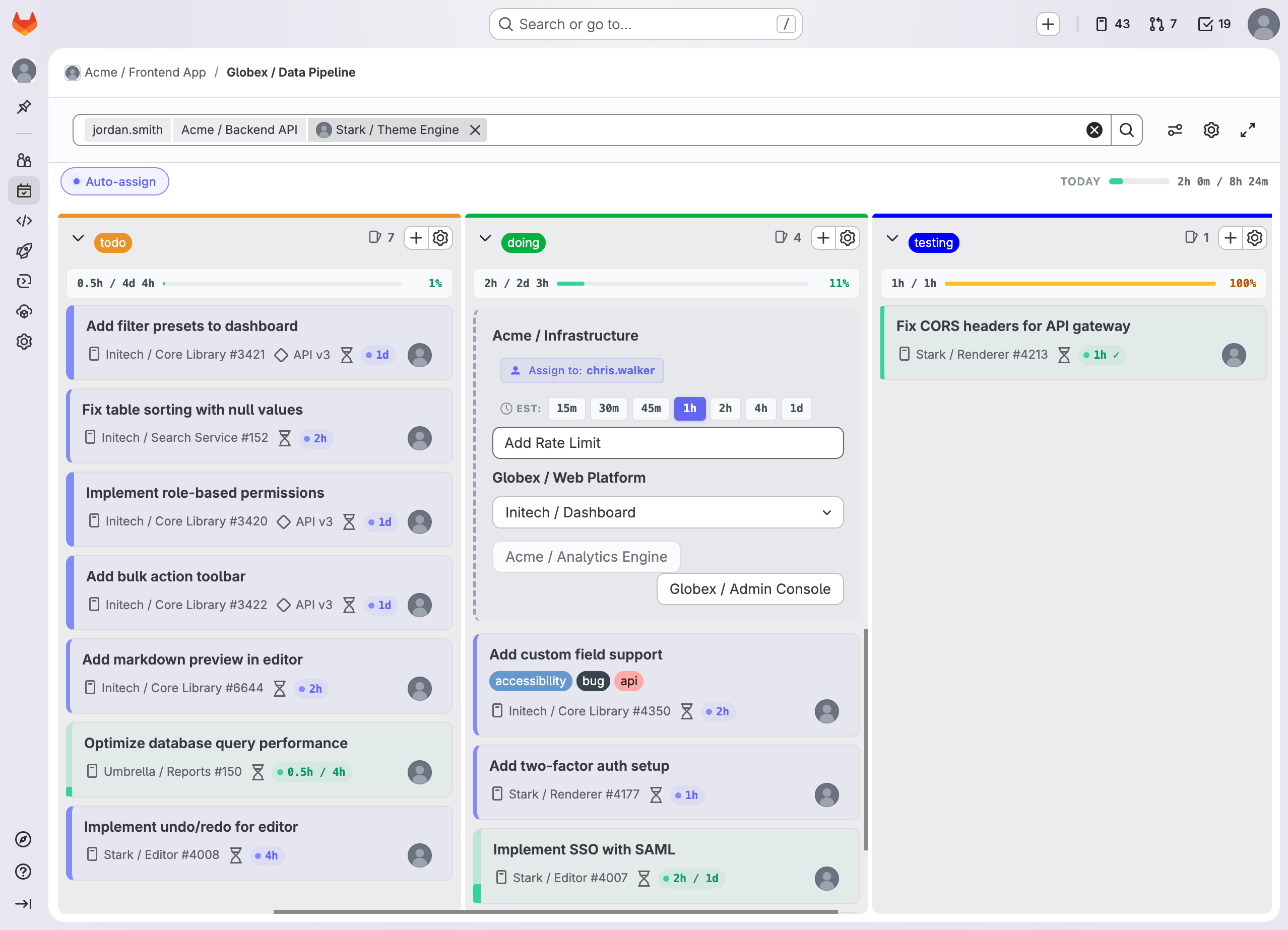
Time tracking badges, quick estimates, column summaries, and a full dashboard — all without leaving your GitLab board.
Zero data collection. Your data never leaves your browser.
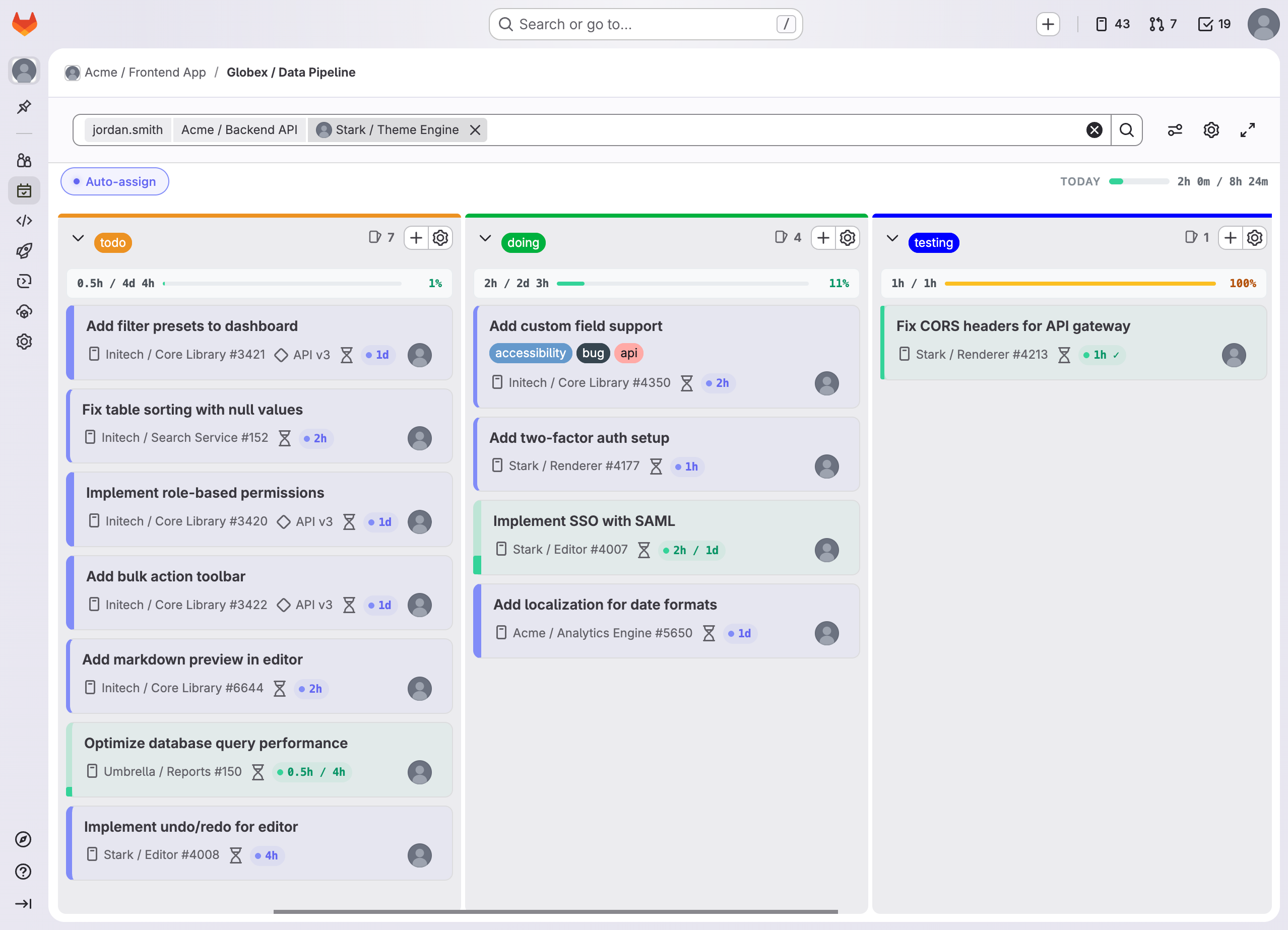
Expand any card to log time with one-click duration buttons. Pick the date, add a note, and submit — all inline, no page navigation required.
New issues get auto-assigned to you with one-click estimate buttons — 15m to 1d. Choose the project, set a time budget, and keep moving.
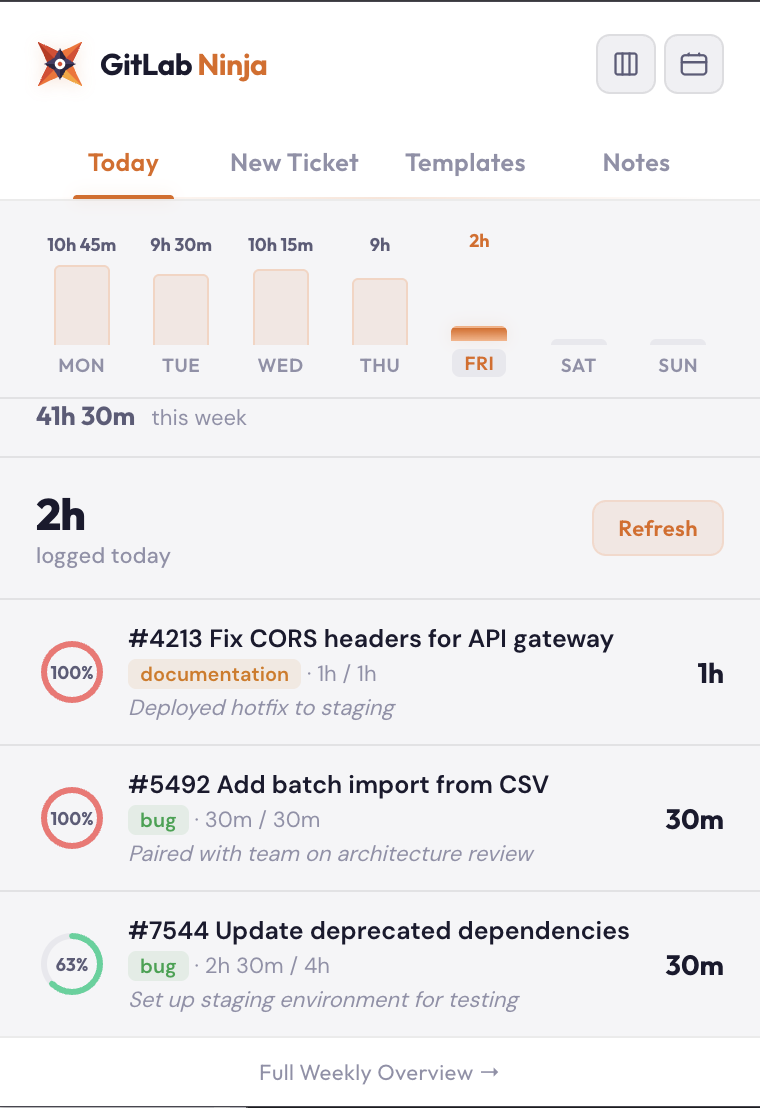
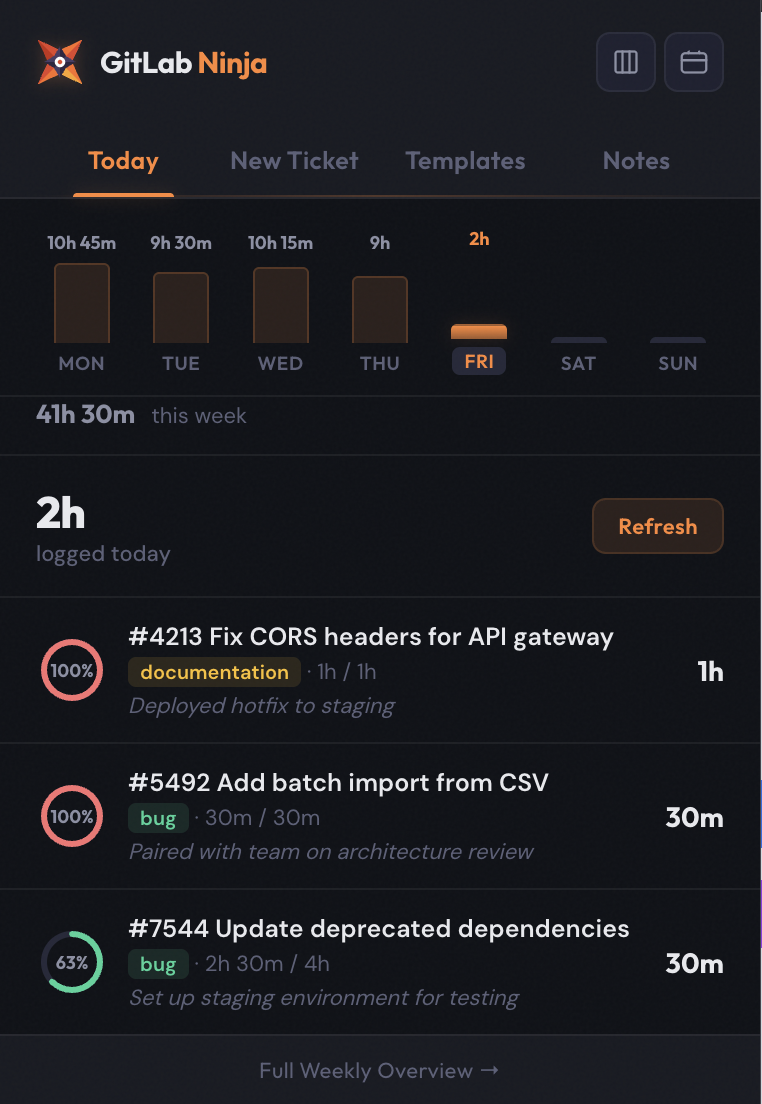
The popup shows today's logged time, weekly bar chart, and every issue you touched — with progress rings and time notes. Adapts to your GitLab theme.
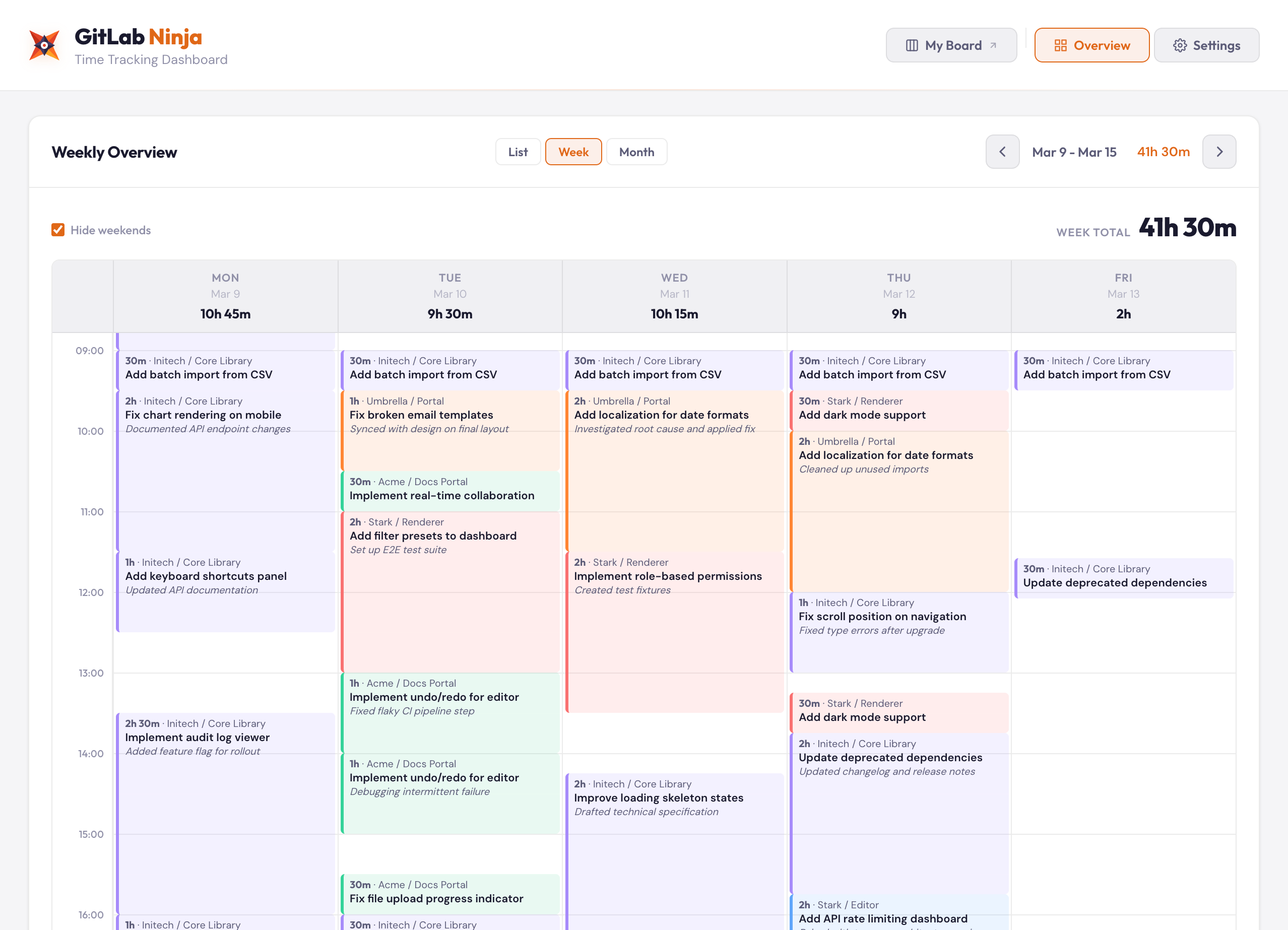
A full weekly timeline shows every time entry across every project, color-coded and organized. See daily totals, weekly totals, and spot gaps instantly.
From monthly overviews to smart reminders, GitLab Ninja covers the full time tracking workflow.
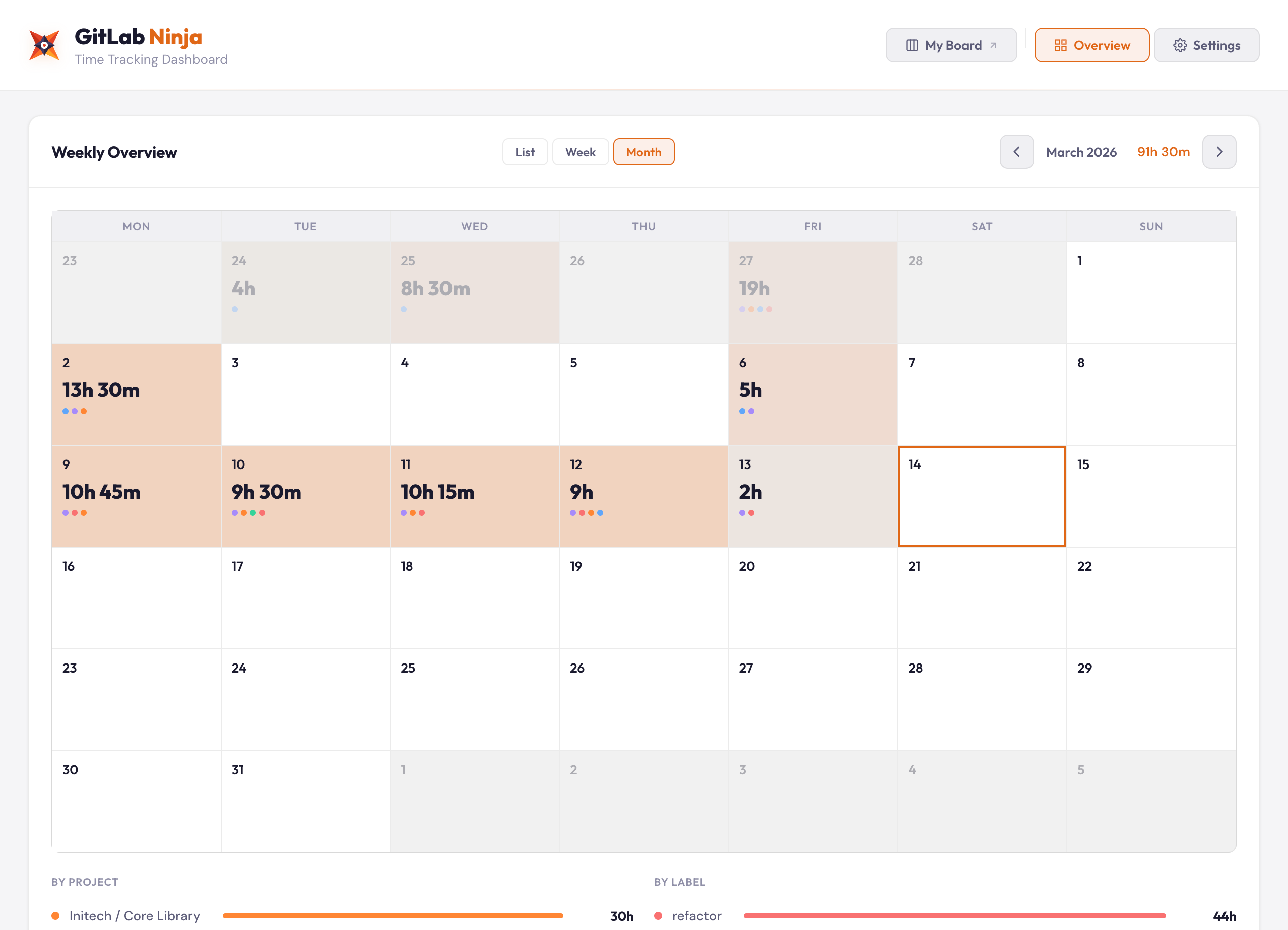
Monthly bird's-eye view of logged time. See daily totals, spot patterns, and track your consistency with color-coded project dots.
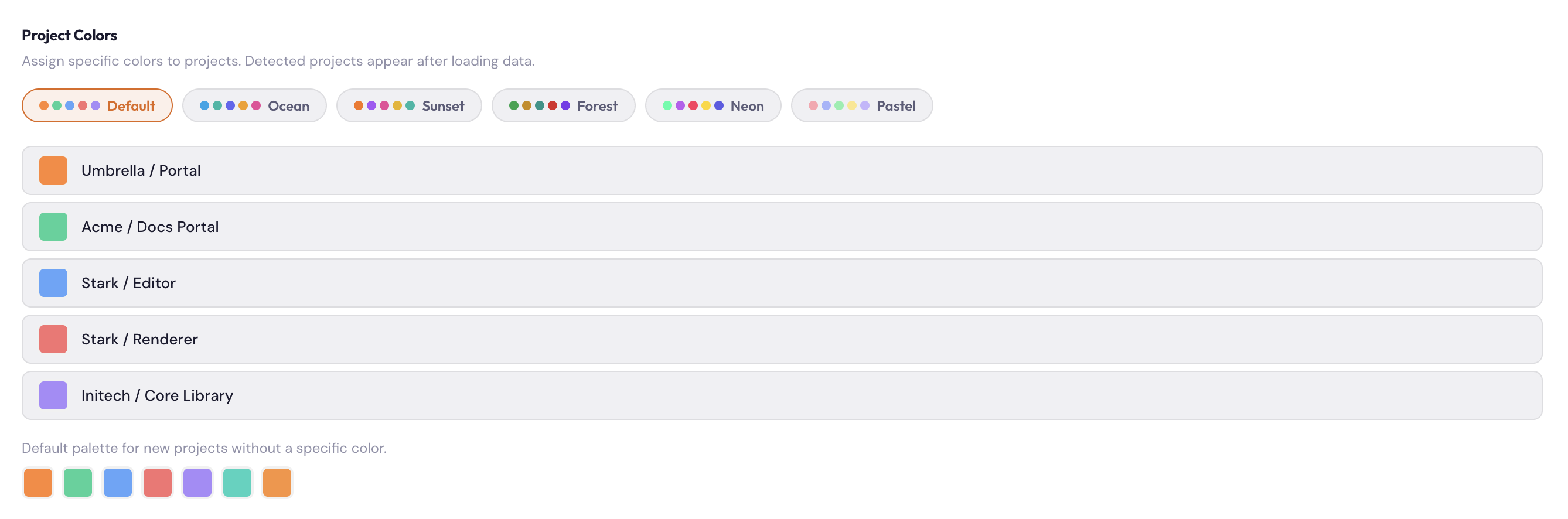
Assign colors to projects with curated palettes. Instantly tell which project owns which time entry across every view.
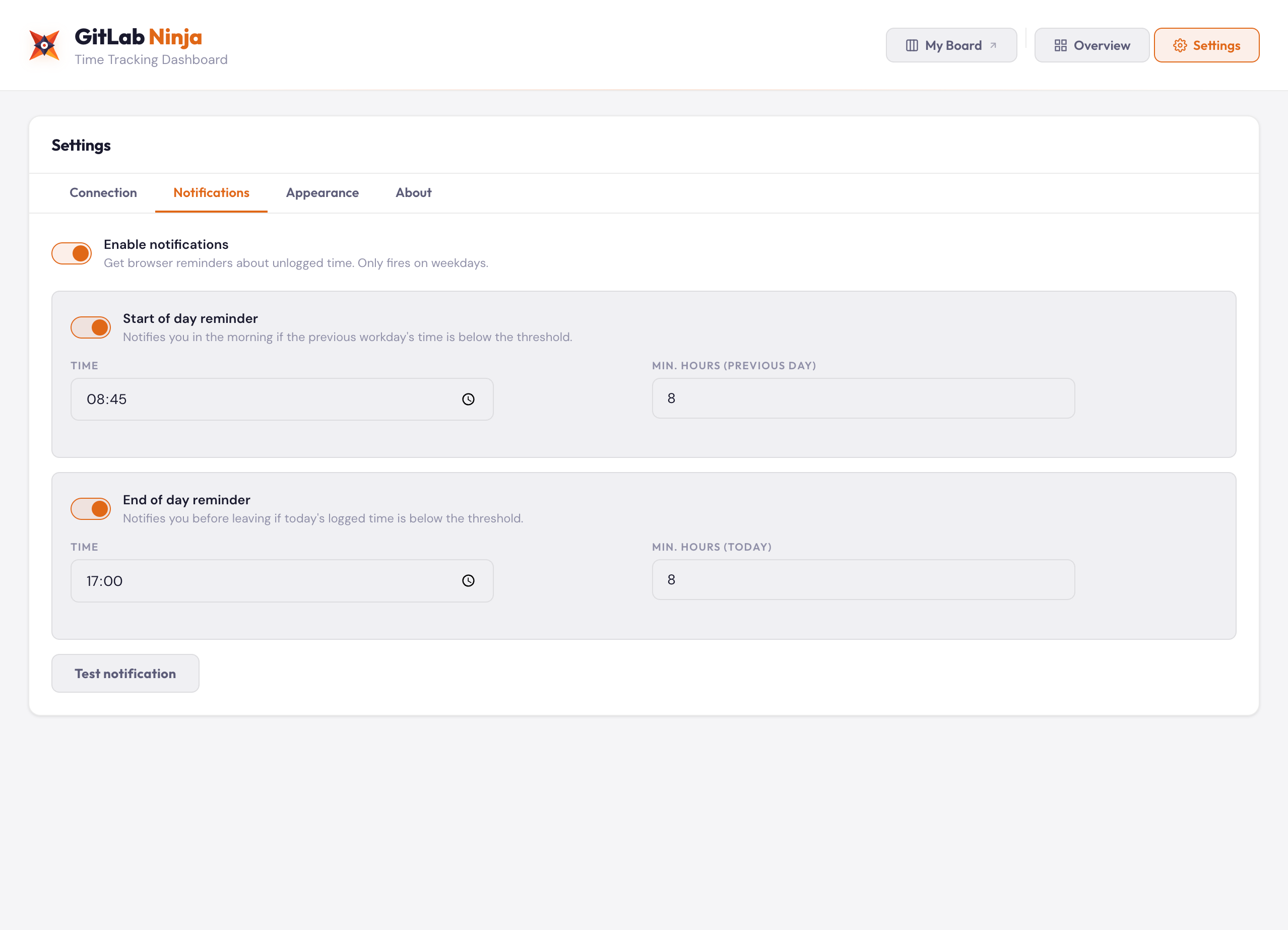
Start-of-day and end-of-day reminders so you never forget to log your hours. Fires only on weekdays.
GitLab Ninja collects zero data. No analytics, no telemetry, no external servers. API requests go only to your own GitLab instance.
Token and settings stored in your browser
Requests go straight to your GitLab instance
Inspect every line of code on GitHub
No analytics, no tracking, no phone-home
GitLab.com and self-hosted instances. All major browsers.
Found a bug, have a feature request, or need help getting started? Open an issue on GitHub and we'll get back to you.
Open an IssueInstall GitLab Ninja and start tracking time like a pro. Free, open source, and privacy-first.